Offline · Single-player · MTT decision training

Practice tournament decisions, hand by hand.

JishiMTT Trainer is a desktop Texas Hold'em tournament simulator. From a full table down to heads-up, every hand plays through pre-flop, flop, turn and river — each opponent action is shown and settled for real, with immediate decision analysis.

Two standalone installers: a full English edition and a full Chinese edition.

Real showdowns Pot-percentage sizing Street-by-street review
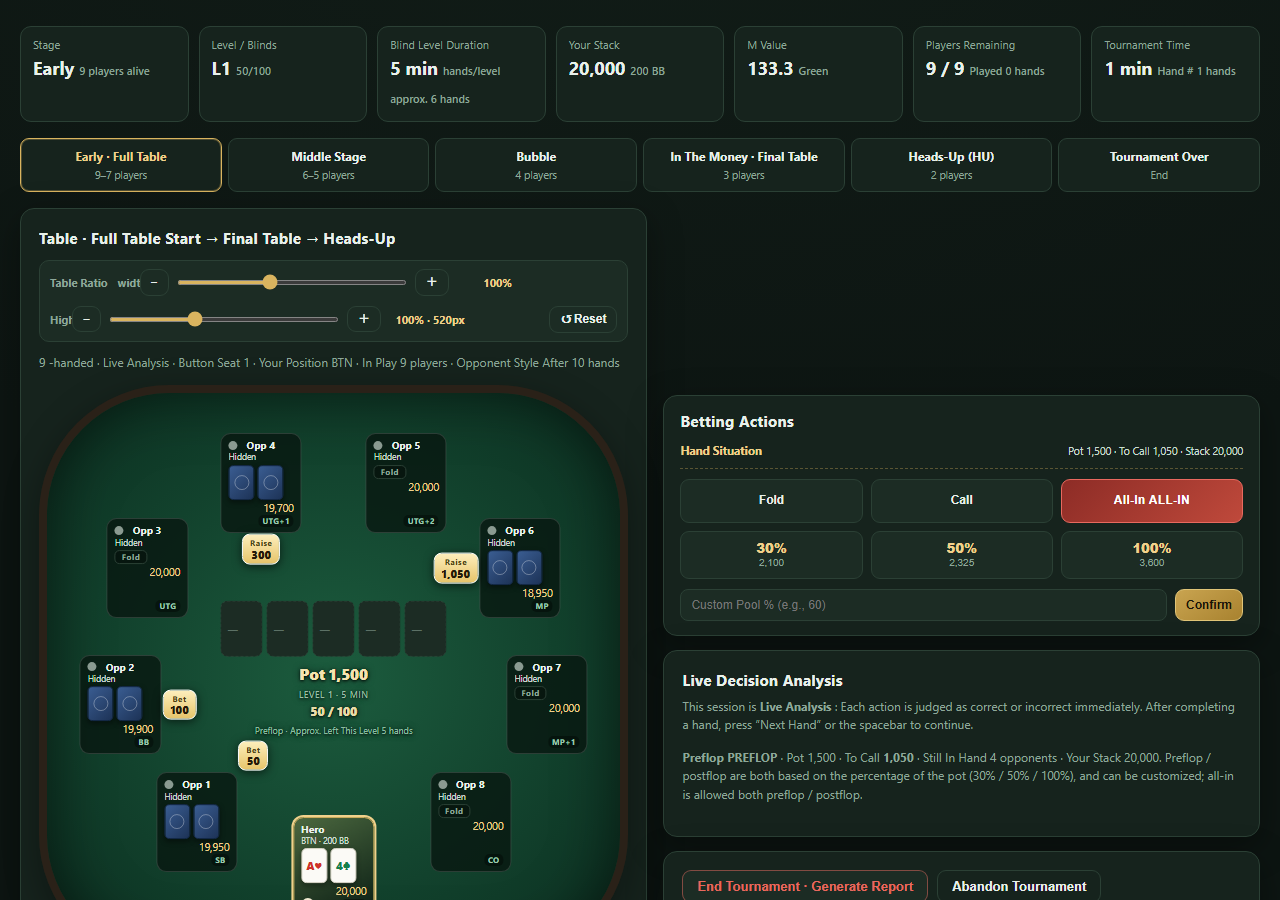
Run&Go JishiMTT Trainer — Live Analysis
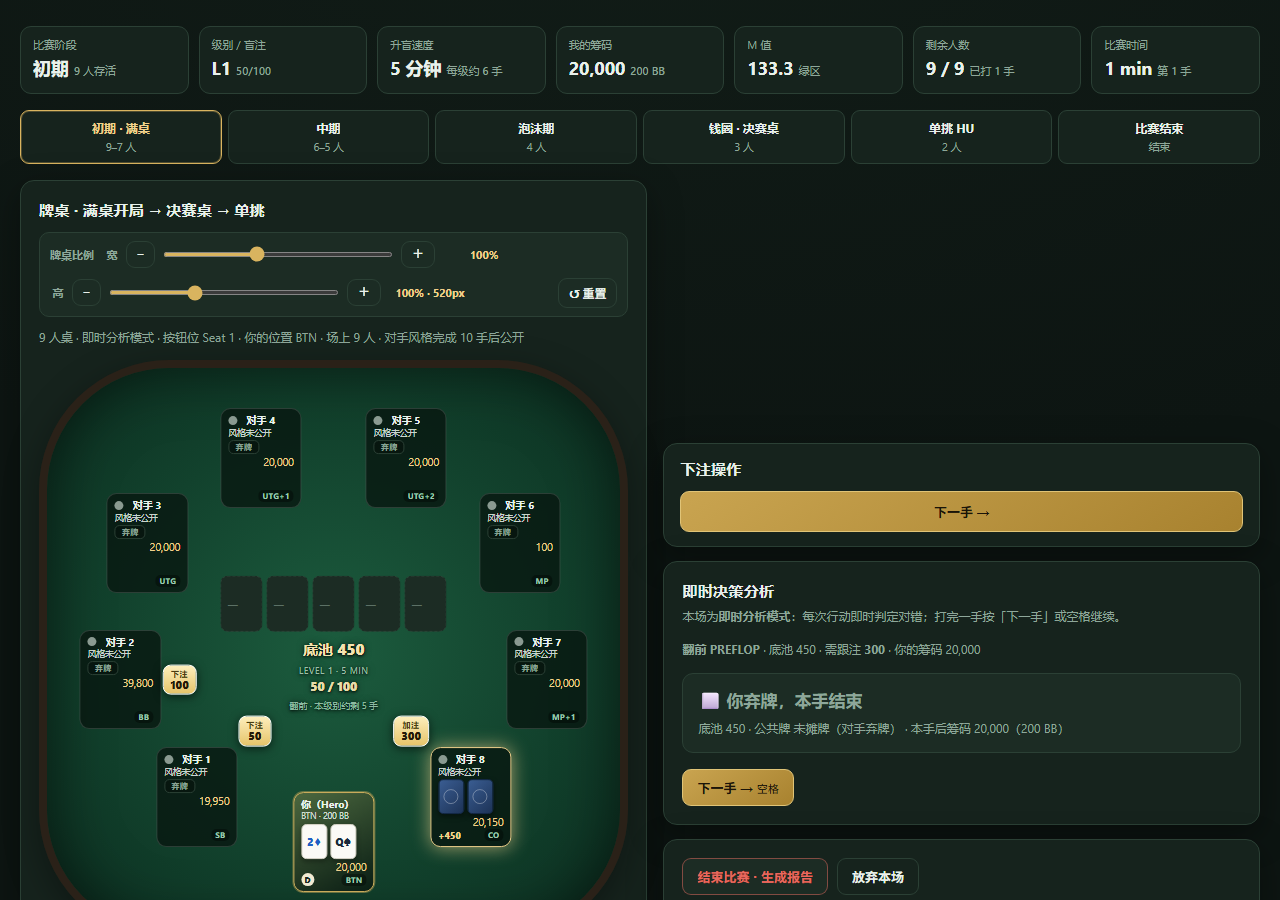
English edition game table with betting actions and live decision analysis

English edition: 9-handed table, betting actions and live decision analysis

Compliance notice
This is educational training software, not a gambling service. All chips in the software are virtual numbers used for simulation scoring only. There is no real-money play, wagering, deposits, withdrawals, prizes, matchmaking, leaderboard rewards or anything redeemable for value. The software does not connect to any real poker room or gambling platform, and does not collect financial information. It runs fully offline and is intended for users aged 18 and over.
Two editions

One training engine. Two language editions.

Both editions share the same tournament logic and table engine. They differ in interface language and licensing, and can be installed side by side without interfering with each other.

English edition · $36.60

Run&Go JishiMTT Trainer

Windows desktop application · English UI

A fully English interface. One purchase and we send you the program file directly — no activation code, no trial countdown, no machine binding. Install it and train for as long as you like.

  • Windows desktop app, fully English UI
  • One-time purchase, program file delivered by email
  • No activation code, no machine code, no license file
  • Feature-identical to the Chinese edition
$36.60 · no activation
Chinese edition · $36.60

就实MTT训练器

Windows desktop application · Chinese UI

A fully Chinese interface. One purchase and we send you the program file directly — no activation code, no trial countdown, no machine binding. Use it indefinitely.

  • Windows desktop app, fully Chinese UI
  • Program file delivered by email after purchase
  • No activation code, no machine code, no time limit
  • Includes the free portrait-mode Android companion app
$36.60 · no activation
A separate portrait-mode Android edition is also available: permanently free, no activation code, designed for short practice sessions on the go.
Core features

Train in whole tournaments, not isolated hands.

01

Action-by-action play

Every hand is presented street by street, from pre-flop through the river. Each opponent action, bet badge and the active player highlight appear in sequence — no hand's confrontation is skipped.

02

Real showdown eliminations

Eliminations only come from genuine showdowns: real hole cards and board cards are dealt, seven-card hand strength is compared, effective stacks settle and chips are conserved. Ties split the pot; there are no random instant bust-outs.

03

Pot-percentage bet sizing

Pre-flop and post-flop both use 30% / 50% / 100% pot-sizing options, plus a custom pot percentage or all-in, building sizing intuition and decision-making under stack pressure.

04

Immediate decision analysis

After every action you get an instant verdict and reasoning covering position, stack size, pot odds, M-ratio, tournament stage and opponent tendencies — so you build a reusable decision framework.

05

Full tournament structure

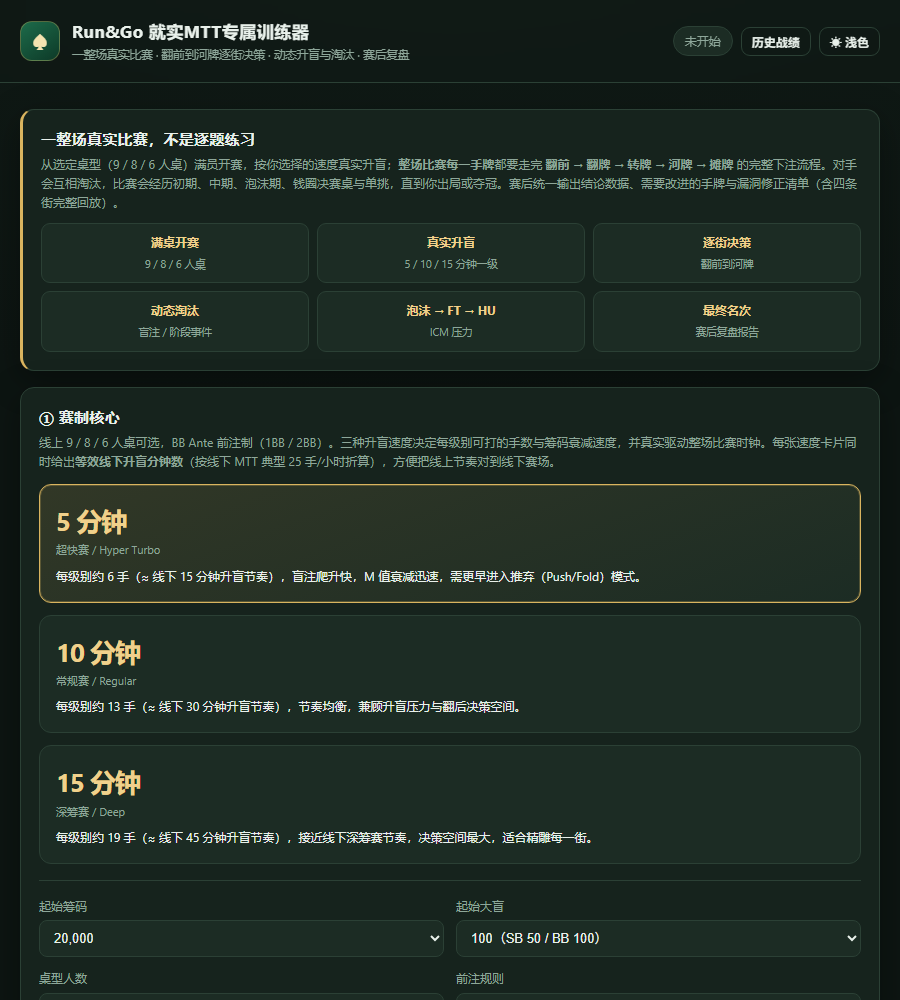
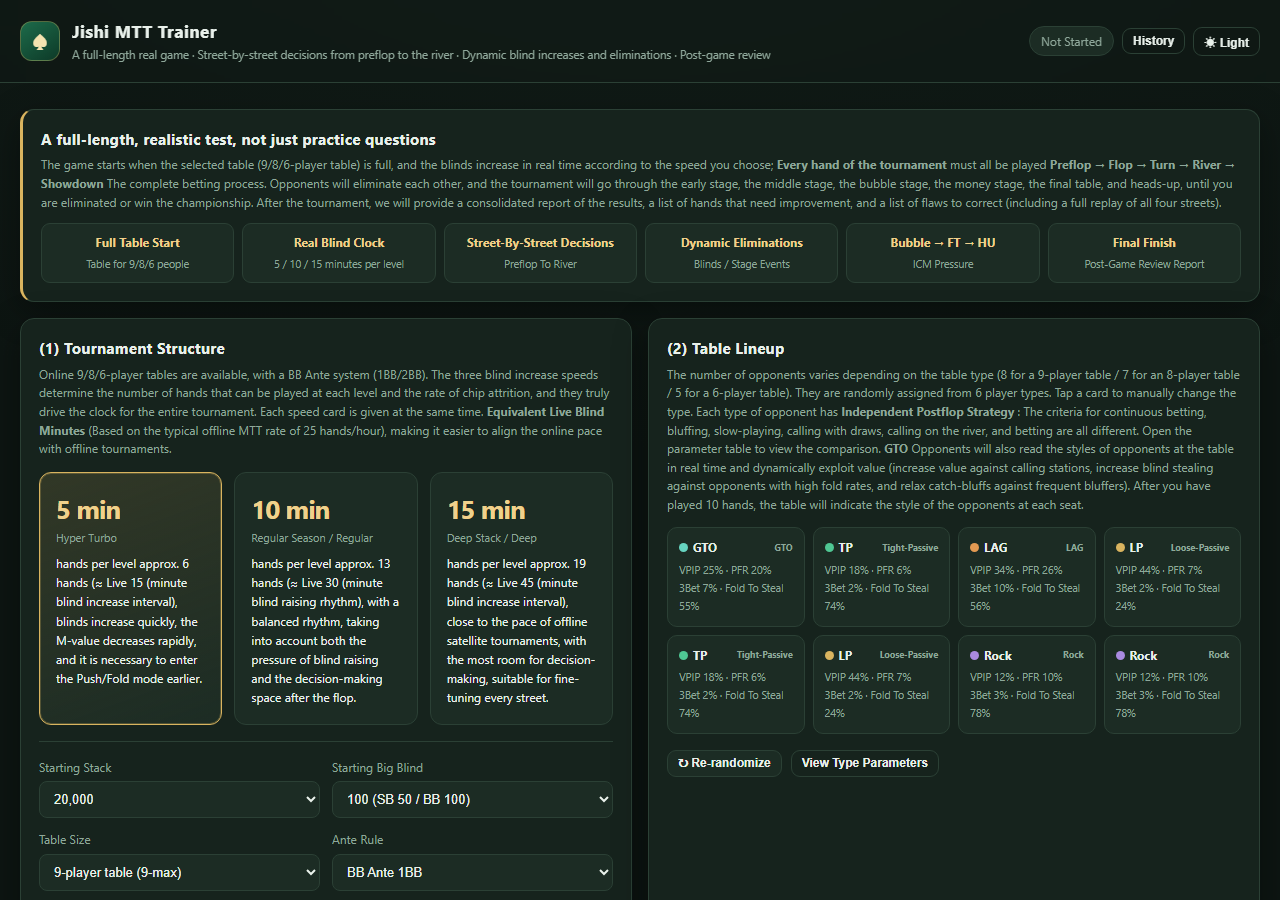
Choose 9 / 8 / 6-handed tables with 5 / 10 / 15-minute blind levels, ante rules, blind stages, M-ratio and early / middle / bubble / final table / heads-up phases.

06

Post-tournament review

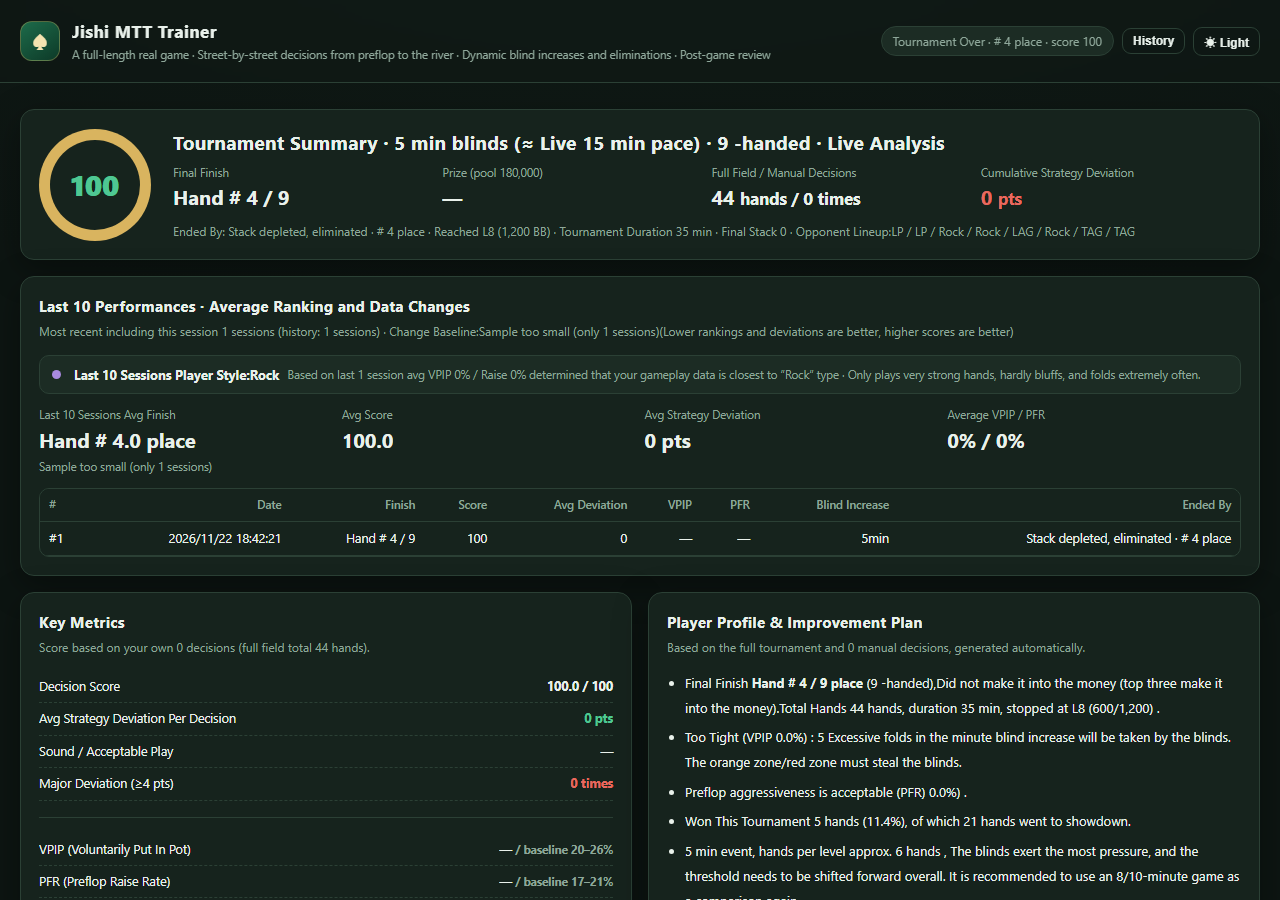
A complete report at the end of each tournament, with four-street action replay, summary statistics and a list of hands to improve, so you can correct specific leaks.

07

Adjustable table layout

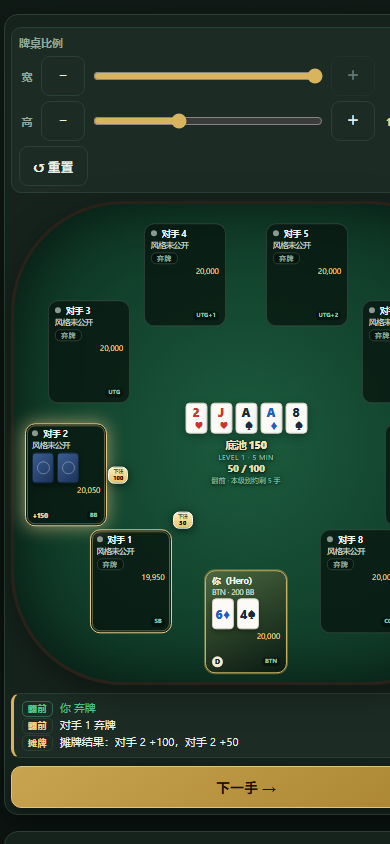
Table width and height ratios are adjustable; seats follow an equal-arc elliptical layout and bet badges always face the centre of the table, with no overlapping text or graphics at any window size.

08

100% offline, single-player

No account, no internet connection, no ads, no third-party tracking. Everything runs locally and training data stays on your machine — no hand histories or personal data are uploaded.
Pricing

Simple, transparent, one-time purchase.

Both editions are $36.60 each, one-time payment. After purchase we send you the program file directly by email — no activation code, no trial period, no subscription.

English edition
Run&Go JishiMTT Trainer
Full English UI, use forever
$36.60
One-time payment / use indefinitely
  • Complete tournament and training features
  • No activation code, no trial countdown, no time limit
  • Windows 10 / 11 program file (EXE)
  • Program file delivered by email after purchase
Buy English edition
All prices are in USD and clearly displayed at checkout; payment and tax handling are processed by Creem as Merchant of Record. Digital product: after payment we email you the program file directly (Windows EXE, plus the free Android companion app where applicable), normally within one business day. No activation code, no subscription, no automatic renewal.
Simple delivery. No activation code, no machine binding and no trial countdown — once payment is confirmed we simply email you the program file and you run it right away.
How it works

Three steps to start training

1

Get the software

Choose the English or Chinese edition and complete the one-time payment. We then email you the program file directly — there is no activation code to enter.

2

Install locally

Run it directly on Windows 10 / 11. It uses the built-in WebView2 / Edge rendering engine — no environment setup and no account required.

3

Play a full tournament

Set table size and blind speed, play from a full table down to heads-up with live analysis, then read the post-tournament report.

System requirements & what you receive

  • Windows 10 / 11 desktop app; requires Microsoft Edge WebView2 or the Edge browser (normally already present).
  • The portrait Android companion app is a free extra, supporting 360–430 CSS px portrait screens, permanently free with no activation code.
  • Delivered: the Windows program file (EXE), the free Android companion app where applicable, and email support.
  • No internet connection, no cloud account, no hand-history uploads — all computation happens on your machine.
FAQ

Good to know

Is this real-money gambling or an online poker room?

No. It is a fully offline, single-player training application with no real-money play, wagering, deposits, withdrawals, prizes or anything redeemable for value. Chips are virtual scoring numbers only and the software does not connect to any real poker room or gambling platform.

What is the difference between the English and Chinese editions?

They share the same game engine and features and are both $36.60. The only difference is interface language. Both are delivered as a program file with no activation code, no trial countdown and no machine binding, and can be installed side by side without interfering with each other.

Do I need an activation code or a machine code?

No. After payment we email you the program file directly. There is no activation page, no license key, no machine code and no trial countdown — you simply run the file.

Can I install it on more than one computer?

The software has no machine binding and no online activation, so the file runs on any compatible Windows PC. If you need to use it on additional devices, please contact our support email. Please do not share or resell the program file.

Do I need internet access? Are my hand histories uploaded?

No. All computation and license verification happen locally. There is no account system, no ads, and no third-party tracking or analytics SDK.

Is it a subscription? Will I be charged automatically?

No. Each edition is a single payment of $36.60 with no expiry. There are no subscriptions, automatic renewals or hidden fees, and you are never charged again.

How do I request a refund?

Email our support address below with your Creem order number. Conditions, time limits and handling of digital-goods refunds are described on the Refund Policy page.

How soon will I receive the software after purchase?

We send the program file to your email after payment, normally within one business day. If it does not arrive, check your spam folder and contact our support address.

Contact & support

Need help, or have a question before buying?

Pre-sales questions, file delivery, technical support and refund requests are all handled through the channels below. We normally reply within 3 business days.

Support email
[email protected]
WeChat
chanoutin
Business
jsmttpoker.cn

Support hours: Monday–Friday, 10:00–18:00 (UTC+8)

Email us